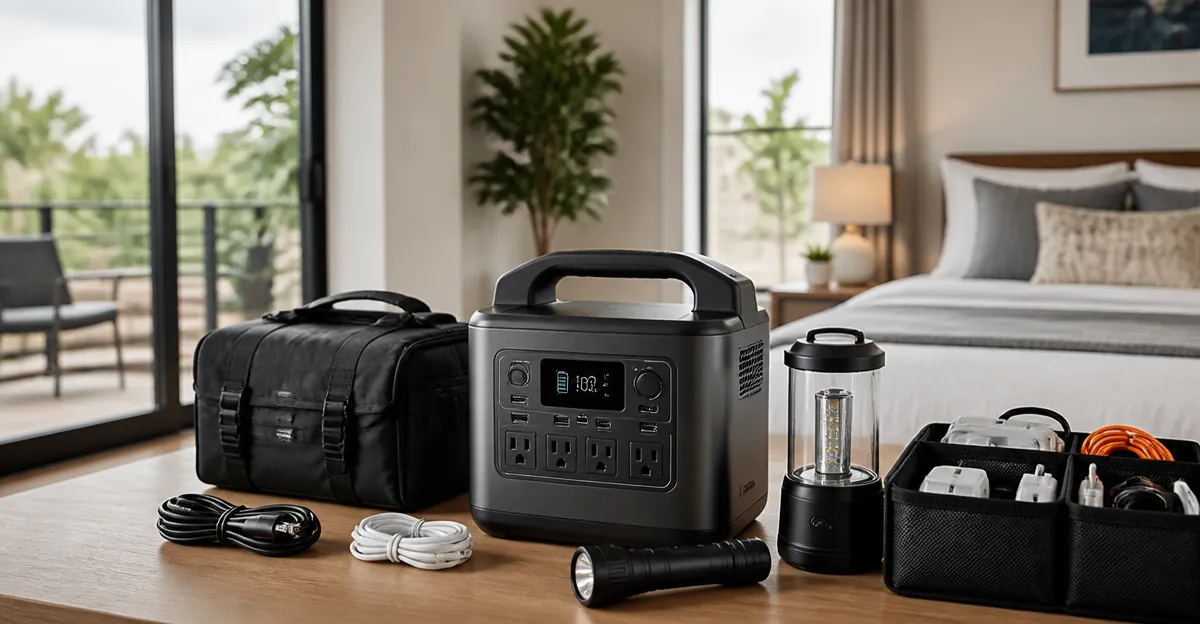
How to Create an Airbnb Portable Power Station Backup Kit: Step‑by‑Step Guide for Hosts
Introduction
Airbnb hosts frequently encounter unexpected power outages that can disrupt guest comfort and lead to negative reviews. This guide explains how to assemble a portable power station backup kit that keeps essential appliances running, preserves electronic devices, and maintains a professional experience for guests. Readers will learn which components are necessary, how to size the system for typical Airbnb properties, and how to install and test the kit safely. By following the instructions, hosts will gain confidence that their rental remains functional even when the grid fails.
What You'll Need
- Portable power station (primary backup unit)
- Secondary power station for load sharing (optional but recommended for larger properties)
- Solar panel(s) for renewable recharging (optional)
- AC to DC charging cables and car charger cable
- LED safety light and surge‑protected power strip
- Basic tools: screwdriver, cable ties, voltage tester
All of the recommended power stations are available on Amazon and include the necessary accessories. Links to each product appear in the step‑by‑step section.
Step 1: Assess Power Requirements
The first step is to calculate the wattage that must remain operational during an outage. Typical Airbnb essentials include a refrigerator (120 W continuous, 600 W surge), a CPAP machine (50 W), a Wi‑Fi router (10 W), and basic lighting (30 W). Adding a small TV or electric kettle increases the load by another 100 W. Summing these values yields an approximate continuous demand of 300 W with occasional surges up to 650 W.
Hosts should choose a power station that can deliver at least 300 W continuous output and a surge capacity of 600 W or higher. The Jackery Explorer 300 provides 300 W continuous and 600 W peak, making it a perfect match for modest Airbnb units. It offers 292 Wh of stored energy, which can run the identified load for roughly 1‑2 hours before recharging is required.
If the property includes higher‑draw appliances such as a full‑size refrigerator or an electric kettle used frequently, a larger unit like the Anker SOLIX S2000 (2,010 Wh, 1,500 W continuous) ensures several hours of autonomy. Hosts can pair the two stations to share load and extend runtime.
Step 2: Choose the Primary Power Station
The primary station should be lightweight enough for occasional relocation but robust enough to handle daily cycling. The Jackery Explorer 300 weighs only 7.5 lb, features an integrated handle, and includes a pure‑sine‑wave inverter that protects sensitive electronics. Its LiFePO4 battery chemistry promises over 4,000 charge cycles, translating to more than a decade of service.
Key specifications:
- Capacity: 292 Wh
- Continuous Output: 300 W (600 W surge)
- Ports: 2 AC, 100 W USB‑C PD, 2 USB‑A, 120 W car port
- Price: $259.00
- Rating: 4.6/5 (11,186 reviews)
These features make the Explorer 300 ideal for small to medium Airbnb units where space and weight are constraints. The built‑in LCD displays battery percentage, input, and output wattage, allowing hosts to monitor power status at a glance.
Step 3: Add a Secondary Station for Redundancy
For larger properties or for hosts who want to avoid any interruption, a secondary station provides redundancy. The Anker SOLIX S2000 delivers 2,010 Wh and 1,500 W continuous output, sufficient to keep a full refrigerator, multiple lights, and a TV running for 8‑10 hours.
Important attributes include:
- 10,000‑cycle LiFePO4 battery with 15‑year lifespan
- Six charging options (AC, solar up to 400 W, car outlet, generator, alternator, wall outlet)
- Eight outlets (front and rear) for organized cable management
- Price: $649.99
- Rating: 4.6/5 (211 reviews)
The S2000 also integrates with the Anker app, enabling remote monitoring, UPS mode, and customizable charge limits that prolong battery life. Hosts can set the unit to discharge only to 20 % during low‑usage periods, preserving capacity for emergencies.
Step 4: Install Solar Recharging (Optional but Recommended)
Solar panels provide an off‑grid recharge source that reduces reliance on the grid and keeps the backup kit ready for extended outages. The Jackery Explorer 300 pairs efficiently with the Jackery SolarSaga 100 W panel, reaching 80 % charge in approximately 2.8 hours. If hosts already own a compatible panel, they can connect it directly to the station’s MPPT controller.
For the larger Anker SOLIX S2000, a 400 W solar array can replenish the battery in under four hours, thanks to the unit’s high‑speed MPPT charge controller. Anker’s HyperFlash technology (available on the C1000 Gen 2) also supports ultra‑fast 1,600 W charging, but the S2000’s 400 W input is sufficient for most Airbnb scenarios.
When installing panels, position them at a 30‑45° angle facing true south (in the Northern Hemisphere) to maximize sunlight exposure. Use cable ties to secure the panels to the roof rack of a van or to a portable frame for ground‑based setups.
Step 5: Connect Essential Loads
Identify the devices that must stay powered and connect them to the appropriate outlets. For the Explorer 300, use the two AC outlets for the refrigerator and CPAP machine, the USB‑C PD port for smartphones, and the car port for a low‑draw Wi‑Fi router. The unit’s pass‑through charging capability allows it to remain charged via a car outlet while simultaneously powering a load of up to 75 W.
With the SOLIX S2000, distribute high‑draw appliances across the front and rear outlets to avoid clutter. The unit’s dual‑sided outlet design enables a cleaner setup, and the app can toggle each outlet on or off remotely, conserving energy when a guest is not present.
Always plug devices into a surge‑protected power strip before connecting to the power station. This adds an extra layer of protection against voltage spikes that can occur when the grid returns.
Step 6: Test the System
Before guests arrive, simulate a power outage by disconnecting the main supply and confirming that the power stations sustain the identified loads for the expected duration. Use a voltage tester to verify that each outlet supplies stable 120 V AC. Record the runtime and note any devices that cause the battery to deplete faster than anticipated.
If the runtime falls short, consider adding a second unit or increasing solar capacity. Adjust the app settings on the SOLIX S2000 to enable UPS mode, which automatically switches to battery power within 10 ms, ensuring no interruption for critical devices such as CPAP machines.
Document the test results in a maintenance log and store the log in a cloud‑based folder accessible to cleaning staff and property managers.
Tips & Pro Tips
- Label all cables. Use colored zip ties to differentiate between AC, USB, and car‑charging cables, reducing confusion during turnover.
- Maintain battery health. Charge the LiFePO4 units to 80 % if they will sit idle for more than a month; this minimizes self‑discharge and extends cycle life.
- Use the app. Both Jackery and Anker provide mobile apps that display real‑time power usage, remaining runtime, and allow remote shutdown of non‑essential loads.
- Secure the stations. Mount the power stations on a wall bracket or place them on a non‑slip mat to prevent accidental tipping in high‑traffic areas.
- Consider a backup generator. For properties with high‑energy appliances (e.g., hot water heaters), a small gasoline generator can recharge the stations when solar input is insufficient.
Troubleshooting
| Problem | Possible Cause | Solution |
|---|---|---|
| Battery not charging | Solar panel not aligned or MPPT controller disabled | Re‑orient panel toward sun, ensure panel voltage matches station input, reset MPPT via app. |
| Inverter shuts down under load | Exceeding continuous wattage rating | Reduce load by unplugging non‑essential devices or add a secondary station. |
| Device flickers when power returns | Sudden voltage spike from grid | Use a surge‑protected strip between the station and the device. |
Conclusion
By following this guide, Airbnb hosts can construct a reliable portable power station backup kit that safeguards guest comfort, protects electronic equipment, and enhances property ratings. The combination of a lightweight primary unit such as the Jackery Explorer 300 and a high‑capacity secondary unit like the Anker SOLIX S2000 provides flexibility for a wide range of property sizes. Incorporating solar recharging, proper cable management, and routine testing ensures the system remains ready for any outage. Hosts who invest in this solution demonstrate professionalism and preparedness, traits that translate into positive guest experiences and repeat bookings.
Products Mentioned in This Guide
Frequently Asked Questions
What size portable power station is recommended for a typical Airbnb property?
A 500‑Wh to 1000‑Wh unit usually covers lights, a mini‑fridge, and phone chargers for a night of outage.
Do I need a secondary power station, and when is it useful?
A second unit is helpful for larger homes or when you want to split high‑draw appliances to avoid overloading a single battery.
Can solar panels reliably recharge the backup kit during an outage?
Yes, pairing a 100‑W panel with the station can replenish power during daylight, extending runtime without grid electricity.
What safety accessories should I include with the backup kit?
Add a surge‑protected power strip, an LED safety light, and use cable ties and a voltage tester for secure, monitored connections.
How often should I test the portable power station to ensure it works?
Run a monthly test by powering a small load for 10‑15 minutes and check the battery level and charging cables for any issues.