Introduction
This guide explains how to reduce the audible output of portable power stations during campsite stays. One will learn practical placement techniques, load‑management strategies, and accessory choices that lower sound levels without sacrificing performance. The information is valuable because excessive noise can disturb wildlife, disrupt sleep, and diminish the overall camping experience. By following the steps, one can enjoy reliable power while maintaining the tranquility of the natural environment.
What You'll Need
- Jackery Explorer 300 – lightweight LiFePO4 power station.
- MARBERO 88Wh Power Station – compact unit with multiple output ports.
- Daran 89.6Wh Power Station – pocket‑sized silent generator.
- Anker SOLIX C300 – low‑noise 25dB power station.
- BLUETTI Elite 30 V2 – fast‑charging UPS‑enabled station.
- Portable solar panel (compatible with the selected station), insulated tent floor or tarp, and a small acoustic‑dampening mat.
Step 1: Choose a Low‑Noise Power Station
The first step is to select a power station that inherently operates with minimal acoustic emission. The Anker SOLIX C300 produces only 25 decibels of sound, comparable to a whisper, because it utilizes a fanless LiFePO4 design. It offers 288Wh capacity, 300W continuous output, and rapid 140W two‑way USB‑C charging, making it suitable for most campsite loads. For users on a tighter budget, the Jackery Explorer 300 also features a quiet inverter and a lightweight 7.5‑lb chassis, which reduces vibration‑induced noise. Both models provide long cycle life, ensuring that the low‑noise performance does not degrade over time.
Step 2: Position the Power Station for Acoustic Isolation
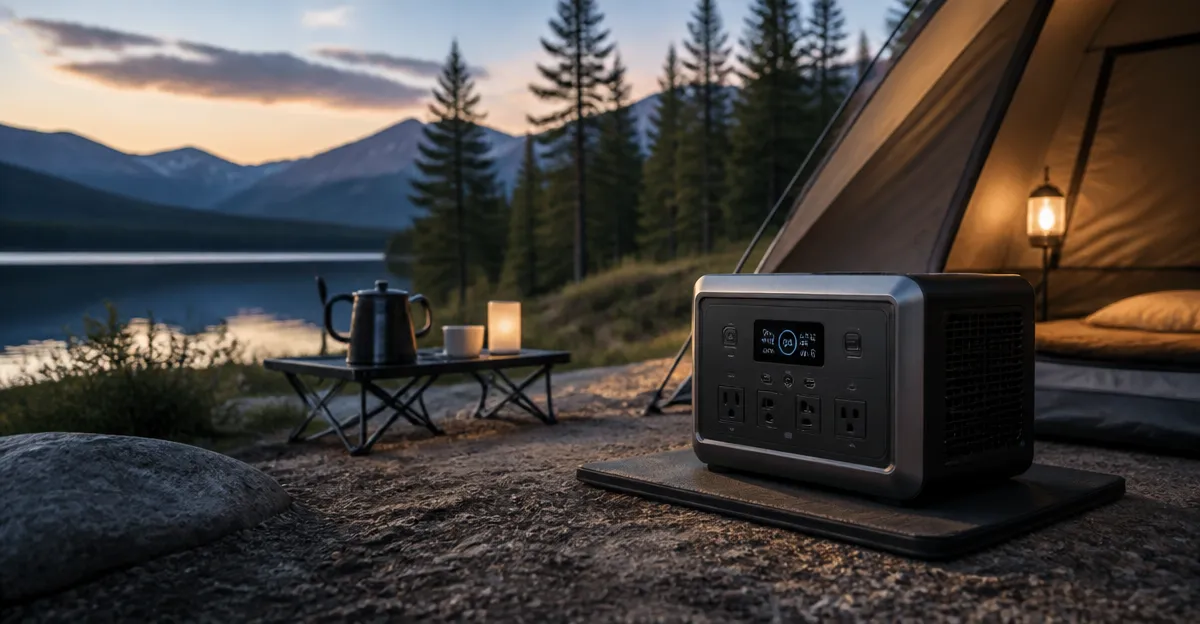
After selecting a quiet unit, place it where natural materials can absorb sound. Position the station on a raised platform such as a wooden camp table rather than directly on the ground, because soil can amplify low‑frequency hums. Surround the base with a thin acoustic‑dampening mat or a folded towel to further reduce vibration transmission. If the campsite includes a tarp or a small canopy, situate the power station beneath the shelter but away from the sleeping area; the fabric acts as an additional sound barrier while protecting the unit from wind and rain.
Step 3: Use Passive Cooling Accessories
Many power stations generate heat during high‑draw operation, prompting internal fans to activate. By employing passive cooling, one can keep internal temperatures low and prevent fan engagement. A simple solution is to attach a low‑profile heat‑dissipating pad (such as a silicone cooling mat) to the underside of the station. The MARBERO 88Wh Power Station includes built‑in ventilation vents, but adding an external matte‑black heat sink can improve airflow without requiring a fan. Additionally, orient the unit so that its vent openings face away from the tent interior, allowing warm air to escape into the open air.
Step 4: Optimize Power Draw to Reduce Internal Load
Internal fan speed correlates directly with the amount of power being drawn. Consolidate device charging by using multi‑port adapters and prioritize low‑power accessories during the night. For example, connect a smartphone, a headlamp, and a small Bluetooth speaker to the Daran 89.6Wh Power Station using its USB‑C PD port, which supplies up to 45W while keeping the inverter idle. When higher‑power devices such as a mini‑fridge are required, schedule their operation during daylight when solar input can share the load, thereby reducing the inverter’s duty cycle and the associated fan noise.
Step 5: Employ Direct Solar Charging to Minimize AC Conversion Noise
Charging the power station from a solar panel bypasses the noisy AC‑to‑DC conversion process. The Jackery Explorer 300 reaches 80% capacity in approximately 2.8 hours when paired with a 100W solar panel, and it does so without engaging internal cooling fans. Use a compatible solar panel, secure it on a sunny spot, and connect it directly to the station’s input port. This method not only reduces acoustic output but also conserves fuel for any backup generators that might be present at the campsite.
Tips & Pro Tips
- Perform a noise test before the trip by operating the station at full load for five minutes; note the decibel level and adjust placement accordingly.
- Wrap the power station in a breathable neoprene sleeve to dampen vibrations while allowing heat dissipation.
- When using multiple stations, stagger their operation so that only one unit’s fan runs at a time.
- Consider a battery‑only configuration for overnight use; charge the station fully before sunset and disconnect all loads during sleep.
- Keep firmware updated; manufacturers sometimes release quieter fan‑control algorithms.
Troubleshooting
Problem: The power station continues to emit a humming sound despite low load.
Solution: Verify that the ventilation openings are not obstructed by debris or clothing. Clean any dust from the vents, and ensure the unit is situated on a stable, level surface. If the noise persists, check for firmware updates on the manufacturer’s website.
Problem: Sudden increase in fan speed during solar charging.
Solution: Solar panels can produce voltage spikes in bright sunlight. Use a solar charge controller with MPPT (Maximum Power Point Tracking) to smooth the input, thereby preventing the internal inverter from entering a high‑load state.
Conclusion
By selecting an inherently quiet power station, positioning it on an acoustically dampened surface, employing passive cooling, managing load distribution, and using direct solar charging, one can dramatically reduce campsite noise. The steps outlined in this guide enable campers to maintain essential power while preserving the serenity of the outdoors. Implementing these practices will result in a more enjoyable and environmentally respectful camping experience.
Products Mentioned in This Guide
Frequently Asked Questions
How should I place a portable power station at my campsite to reduce noise?
Set the unit on a flat, stable surface away from sleeping areas, and use a soft mat or rubber pad to damp vibrations.
What load‑management strategies help keep a power station’s fan quiet?
Run only essential devices, avoid full‑load operation, and stagger high‑draw appliances to keep the internal temperature low.
Are there accessories that can lower the audible output of a portable power station?
Yes, low‑noise fans, insulated covers, and vibration‑absorbing pads can significantly cut sound without affecting performance.
Which portable power stations are known for being especially quiet?
Models like the Jackery Explorer 300, MARBERO 88Wh, Daran 89.6Wh, and Anker SOLIX C300 are designed with low‑noise fans and silent operation.
Can I safely use a sound‑absorbing enclosure around my power station?
A breathable, fire‑rated enclosure can muffle sound, but ensure adequate airflow to prevent overheating.