Introduction
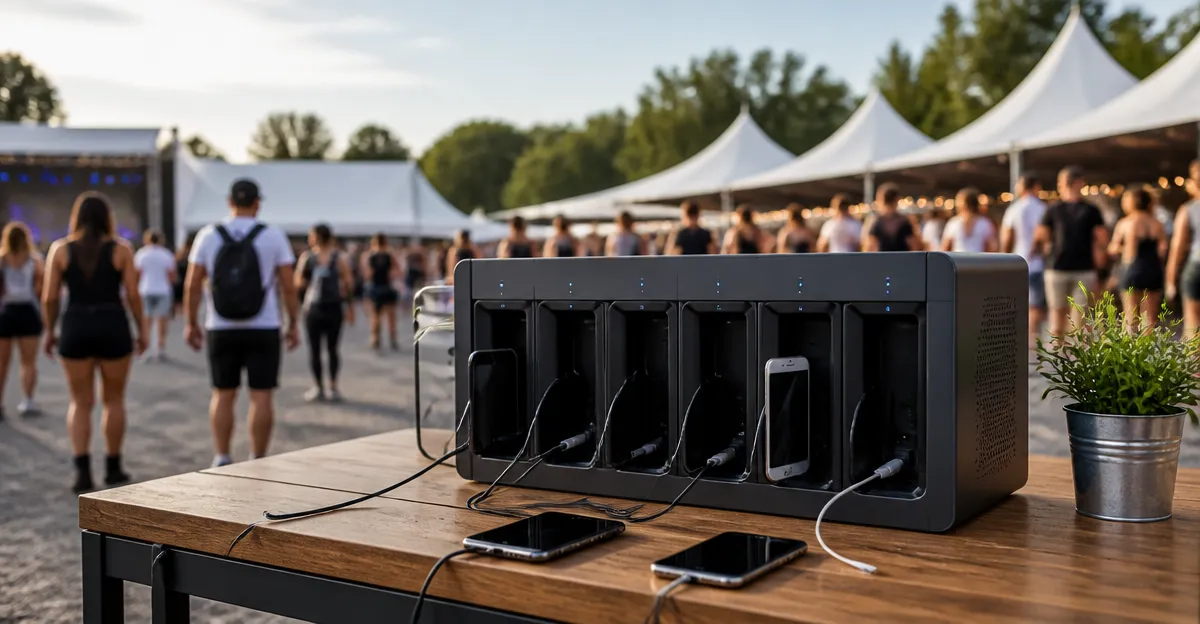
The guide explains how one can establish a robust multi‑station charging hub at a festival venue. It covers power planning, equipment selection, safety measures, and practical layout techniques. Readers will learn why a centralized hub reduces cable clutter, improves device uptime, and enhances attendee satisfaction. The information remains useful even if one chooses to assemble a solution with generic components.
What You’ll Need
- Primary high‑capacity charging station (e.g., UGREEN Nexode Pro 300W Charger or Zobirez 10-Port Charging Station)
- Secondary USB‑A charging hub for low‑power devices (MSTJRY 5-Port Charging Station)
- Surge protection and extra outlets (SUPERDANNY Flat Plug Surge Protector or YISHU Surge Protector Power Strip)
- Extension cords, cable ties, and Velcro straps
- Portable table or sturdy platform, zip ties, and a small toolbox
Step 1: Assess Power Requirements and Site Layout
One should begin by estimating the total wattage needed for all devices that will be charged simultaneously. Typical festival staff may require two laptops (approximately 60 W each), several smartphones (5 W each), tablets (10 W each), and a few portable audio mixers (30 W each). Adding a safety margin of 20 percent ensures that the power source will not be overloaded during peak usage.
Next, identify a location that is close to a reliable AC source, protected from weather, and accessible to attendees. A raised platform or a sturdy table with a waterproof cover works well for outdoor environments. The chosen spot must also allow airflow around high‑power devices to prevent overheating.
Finally, map out the placement of each charging station, surge protector, and cable management accessory on paper. This visual plan helps avoid tangled cords and ensures that the layout complies with venue safety regulations.
Step 2: Choose a Primary Charging Hub
For a festival environment that expects multiple high‑power laptops and tablets, the UGREEN Nexode Pro 300W Charger offers a versatile solution. It provides 300 W total output with up to 140 W per port, allowing two MacBook Pros to reach 50 percent charge in just 28 minutes. The smart interactive display shows real‑time wattage, voltage, and current for each connected device, which assists staff in monitoring load distribution.
The charger incorporates Gallium Nitride (GaN) technology, a semiconductor material that delivers high efficiency (up to 93 percent) while keeping the chassis cool. This feature is essential for outdoor festivals where ambient temperatures may rise. The V‑0 flame‑retardant housing further reduces fire risk, making the unit compliant with most venue safety codes.
If the budget permits a larger number of simultaneous connections, the Zobirez 10-Port Charging Station supplies up to 750 W total output across five USB‑C ports (120 W each) and five USB‑A ports (30 W each). Its built‑in cable kit eliminates the need to purchase additional charging cords, and the sturdy ABS organizer keeps devices upright and spaced. At a price of $52.99 and a rating of 4.7 / 5 from 344 reviews, it provides excellent value for high‑traffic festival booths.
Step 3: Install Surge Protection and Additional Outlets
Even with high‑quality chargers, protecting them from voltage spikes and overloads is critical. The SUPERDANNY Flat Plug Surge Protector offers eight AC outlets, two USB‑C ports, and two USB‑A ports within a compact 10‑foot flat‑plug design. Its 1050 Joule surge protection and 1382 °F fire‑retarding rating safeguard both the chargers and connected devices.
For venues where space is at a premium, the YISHU Surge Protector Power Strip provides a three‑side layout with eight widely spaced outlets and four USB ports. The 6‑foot flat extension cord allows placement behind furniture or under tables, keeping the work area tidy. With 600 Joules of surge capacity and ETL certification, it meets professional safety standards at a budget‑friendly price of $9.99.
Mount the surge protector on the back of the table using the built‑in mounting holes, then route the power cord toward the nearest wall outlet. Ensure that the cord does not create a trip hazard for festival attendees.
Step 4: Arrange Cable Management and Secure the Stations
Effective cable management reduces the risk of accidental unplugging and improves the visual appeal of the charging hub. Use Velcro straps to bundle power cords of the primary charger, secondary charger, and surge protector together. Route the bundles along the underside of the table and secure them with zip ties at regular intervals.
Label each cable with a simple tag indicating the device type (e.g., "Laptop", "Phone", "Tablet"). This practice speeds up troubleshooting and helps volunteers locate the correct port quickly. For outdoor festivals, consider using waterproof cable sleeves to protect against rain or humidity.
Place the MSTJRY 5-Port Charging Station on the side of the table to serve low‑power devices such as smartphones, earbuds, and portable speakers. Its removable dividers can be adjusted to accommodate larger tablets, and the built‑in over‑voltage protection ensures safe charging for all devices.
Step 5: Connect Devices and Verify Operation
Begin by plugging the primary charger into the surge protector, then connect the secondary charger and the USB‑A hub. Power on the surge protector and observe the indicator lights to confirm that surge protection is active. Use the smart display on the UGREEN Nexode Pro 300W Charger to monitor real‑time power distribution.
Next, attach a representative sample of devices: two laptops, three smartphones, and one tablet. Verify that each device shows the expected charging speed in its operating system. If any port appears to deliver less power than advertised, redistribute the load to balance the wattage across available ports.
Finally, test the remote app feature of the UGREEN charger. The app allows one to switch charging modes, change the wallpaper on the display, and receive notifications when a device reaches full charge. This remote capability is valuable for festival staff who need to monitor multiple stations from a central control tablet.
Step 6: Provide User Guidance and Accessibility
Place a small laminated guide near the charging hub that outlines the correct plug orientation, maximum wattage per port, and safety reminders. Include icons that indicate which ports are optimized for laptops versus phones. This visual aid reduces misuse and protects the equipment from overload.
For accessibility, ensure that the charging area is at a height reachable by wheelchair users and that the ports are spaced at least 1.5 inches apart. The flat‑plug design of the SUPERDANNY and YISHU strips helps accommodate larger adapters without obstruction.
Encourage volunteers to periodically check the status lights on each charger and to report any unusual heat or noise immediately. Prompt attention to these signs prevents equipment failure during peak festival hours.
Tips & Pro Tips
- Schedule a brief power audit each morning to confirm that total load does not exceed 80 percent of the charger’s rated capacity.
- Use a portable UPS (uninterruptible power supply) behind the surge protector if the venue experiences frequent power fluctuations.
- Deploy a small fan or open the table legs to improve airflow around the UGREEN or Zobirez units during hot days.
- Keep spare USB‑C and USB‑A cables in a zip‑lock bag; the included cables with the Zobirez station are high‑quality and reduce the need for third‑party purchases.
- When using the MSTJRY station, rotate the removable dividers after each event to prevent wear on the plastic slots.
Troubleshooting
- Device not charging: Verify that the port displays power on the charger’s screen. If not, try a different cable or port.
- Overheating charger: Ensure that the surrounding area is well‑ventilated and that no more than the recommended number of high‑wattage devices are connected.
- Surge protector indicator off: Check the wall outlet for power, then reset the breaker if necessary. Replace the protector if the indicator continues to fail.
- App cannot connect to UGREEN charger: Confirm that the phone and charger are on the same Wi‑Fi network, then restart the app and the charger.
Conclusion
The guide has demonstrated how to design, assemble, and maintain a multi‑station charging hub suitable for festival environments. By selecting a high‑capacity charger such as the UGREEN Nexode Pro 300W Charger or the Zobirez 10-Port Charging Station, integrating surge protection with the SUPERDANNY Flat Plug Surge Protector or YISHU Surge Protector Power Strip, and applying disciplined cable management, one can provide reliable power to dozens of devices simultaneously.
Implementing the steps and tips outlined above will reduce downtime, protect valuable electronics, and enhance the overall attendee experience. Festival organizers are encouraged to adapt the presented layout to their specific venue constraints and to regularly review power usage throughout the event.
Products Mentioned in This Guide
Frequently Asked Questions
What power capacity should I plan for a festival charging hub?
Calculate the total wattage of all devices and add a 20‑30% safety margin, typically using a 300‑500W primary charger for a medium‑size event.
Can I use generic chargers instead of brand‑specific models?
Yes, any high‑capacity USB‑C or USB‑A charger with proper surge protection will work as long as it meets the required wattage.
How many USB ports are ideal for a multi‑station setup?
A mix of 10‑port high‑power USB‑C stations and a few 5‑port USB‑A hubs balances fast charging and low‑power device needs.
What safety measures are essential for outdoor charging stations?
Use surge protectors, weather‑rated enclosures, and cable management to prevent tripping hazards and protect equipment from moisture.
How should I arrange the charging stations for attendee convenience?
Place the primary charger centrally, surround it with secondary hubs, and keep cables short and clearly labeled to reduce clutter and improve flow.