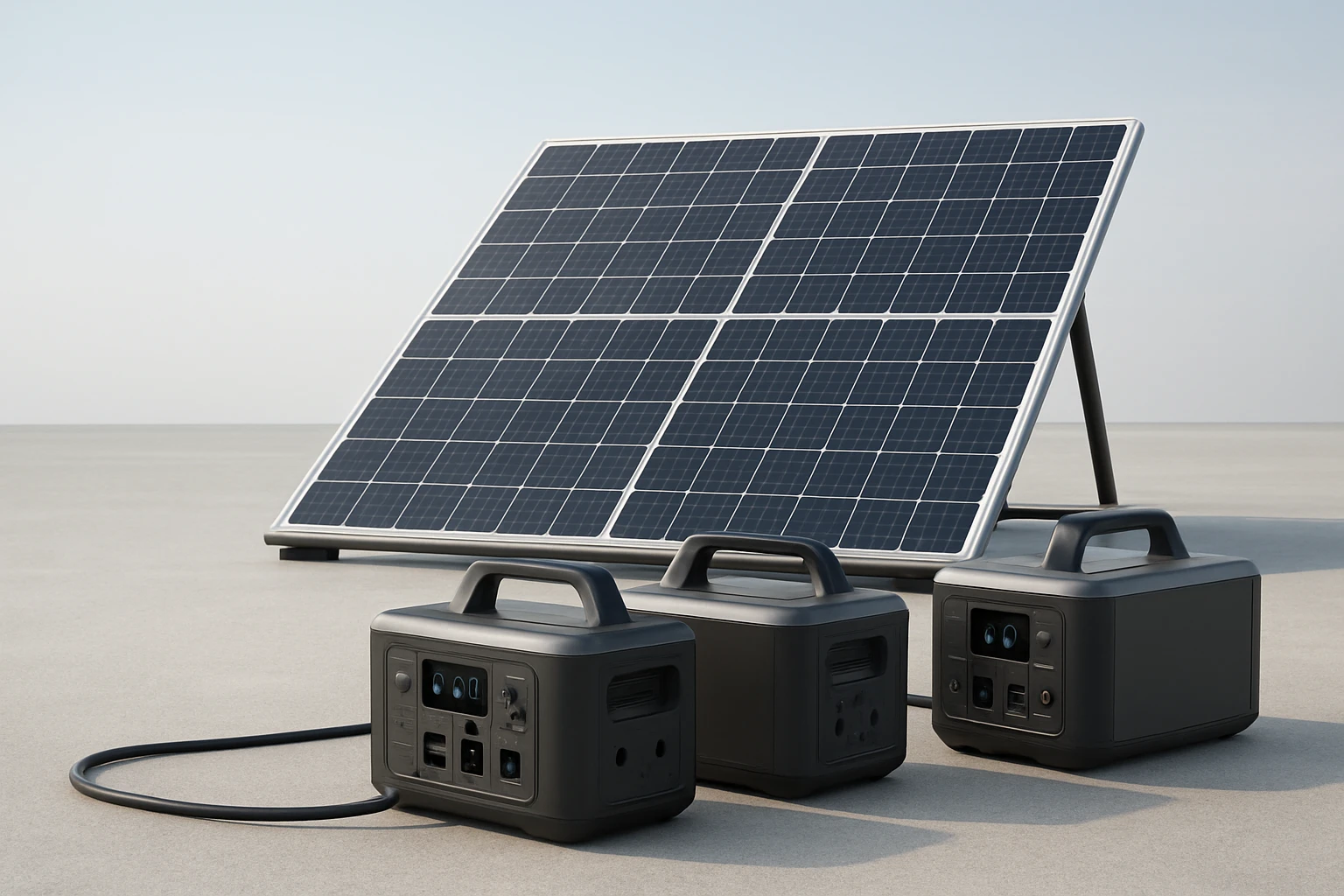
How to Expand a Solar Array to Power Multiple Portable Power Stations — Step‑by‑Step Guide
Introduction
Expanding a solar array to supply several portable power stations can transform a modest setup into a reliable off‑grid energy source. This guide will teach the reader how to assess power needs, select appropriate hardware, and wire the system safely and efficiently. The instructions are written for an intermediate audience who already understands basic solar concepts but requires detailed practical direction. By following the steps, one will achieve a scalable system that maximises energy harvest while protecting batteries and loads.
The article also highlights two essential tools: a high‑performance charge controller and a durable solar cable kit. These products are recommended because they simplify installation, improve performance, and reduce long‑term maintenance. The guide remains useful even without purchasing the items, as it explains the underlying principles that apply to any comparable equipment.
What You’ll Need
- Solar panels with combined wattage sufficient for the intended load (example: 2 × 200 W panels).
- Battery bank compatible with the portable power stations (lithium or lead‑acid, 12 V or 24 V).
- Victron SmartSolar MPPT Charge Controller – 100 V, 50 A, 12/24 V model.
- Energeaster 10AWG Solar Cable Kit – 20 ft red and 20 ft black connectors.
- MC4 connectors, fuse block, and appropriate fuses for safety.
- Tools: screwdriver, wire stripper, multimeter, and a smartphone for the VictronConnect app.
Step 1: Assess Power Requirements
Begin by calculating the total energy demand of all portable power stations that will be powered simultaneously. Identify the continuous wattage of each station and multiply by the desired operating hours. For example, three stations each drawing 300 W for four hours require 3 × 300 W × 4 h = 3,600 Wh of usable energy.
Next, factor in system inefficiencies such as charge‑controller losses (typically 2–3 %) and cable voltage drop. Adding a 10 % safety margin ensures the array can handle cloudy days without depleting the battery bank. This calculation determines the minimum solar panel wattage and battery capacity needed for reliable operation.
Step 2: Choose Compatible Portable Power Stations
Select stations that accept the voltage range produced by the battery bank and that provide the required output ports (AC, DC, USB). Verify that the stations support parallel operation if you intend to connect them to a common battery source. Many modern stations include built‑in MPPT controllers; however, using an external controller such as the Victron model centralises management and improves overall efficiency.
When the stations are matched to the battery bank, the system can balance load distribution automatically, reducing the risk of over‑discharging any single unit. This step does not require a product recommendation, but it is essential for a coherent design.
Step 3: Select Solar Panels and Determine Layout
Choose panels with a voltage (Vmp) that is comfortably below the maximum input voltage of the charge controller (100 V for the Victron unit). A common configuration is two 200 W panels in series, yielding a Vmp of roughly 36 V, well within the controller’s range. Arrange the panels on a sturdy racking system that allows optimal tilt based on geographic latitude.
Ensure that the physical spacing prevents shading, as even partial shade can reduce output dramatically. The Victron SmartSolar MPPT controller mitigates shading effects through rapid maximum‑power‑point tracking, but optimal panel placement remains the most effective way to maximise energy harvest.
Step 4: Install the Victron SmartSolar MPPT Charge Controller
Mount the Victron SmartSolar MPPT Charge Controller in a location protected from direct sunlight and moisture. The controller’s 50 A rating supports up to 1,200 W of solar input at 24 V, which aligns with the example array of two 200 W panels.
Connect the solar panel leads to the controller’s PV terminals, observing correct polarity. The controller’s MPPT algorithm continuously adjusts the operating point to extract the maximum power from each panel, even when clouds pass overhead. Its Bluetooth connectivity enables real‑time monitoring via the VictronConnect app, allowing the user to view voltage, current, and historical performance data.
Configure the battery type and voltage within the app; the controller offers presets for lithium, lead‑acid, and AGM batteries. Setting the appropriate charge profile protects battery longevity and ensures safe charging currents.
Finally, attach the battery bank to the controller’s battery terminals, using appropriate gauge cables and a fuse close to the battery to protect against short circuits.
Step 5: Wire Solar Panels to the Controller Using the Energeaster Cable Kit
To minimise power loss, use the Energeaster 10AWG Solar Cable Kit. The 10 AWG gauge reduces voltage drop over the distance between panels and controller, preserving up to 95 % of the generated power. The kit includes tinned copper conductors, which resist corrosion and maintain conductivity in harsh outdoor environments.
Attach the red (positive) and black (negative) connectors to the panel leads, then lock them into the matching connectors on the controller. The self‑locking mechanism ensures a secure connection that will not loosen due to vibration or temperature changes. The cable’s IP67 rating guarantees protection against dust and water, making it suitable for permanent outdoor installations.
After securing the connections, double‑check polarity with a multimeter before energising the system. Incorrect polarity can damage the controller and reduce efficiency.
Step 6: Connect Portable Power Stations to the Battery Bank
Most portable power stations feature a DC input port that can be linked directly to the battery bank. Use appropriately rated cables (e.g., 8 AWG for high‑current loads) and install a fuse on each line to prevent over‑current conditions. If the stations support parallel charging, they can share the same battery source without additional isolation.
Alternatively, some users prefer to route power through a distribution block that includes individual breakers for each station. This approach provides granular control and simplifies troubleshooting, as each branch can be isolated without affecting the others.
Verify that the battery voltage matches the input specifications of the power stations (12 V or 24 V). Mismatched voltages can cause premature shutdown or damage to internal electronics.
Step 7: Configure System Settings via the VictronConnect App
Open the VictronConnect app on a smartphone and pair it with the charge controller using Bluetooth. The app displays real‑time voltage, current, and state‑of‑charge information, allowing the user to fine‑tune charge parameters. Set low‑voltage disconnect thresholds to protect the battery from deep discharge, and enable load‑output control to automatically shut off non‑essential loads when the battery voltage drops.
Save the configuration and enable firmware updates if available; Victron regularly releases improvements that enhance MPPT efficiency and add new safety features. The app also records a 30‑day performance history, which can be reviewed to assess whether the array meets the expected energy production.
Step 8: Test and Optimize the System
With all connections complete, initiate a test by exposing the panels to sunlight and monitoring the controller’s output. The MPPT controller should quickly settle at the maximum power point, typically displaying a current close to the panel’s rated output. Verify that the battery voltage rises steadily and that the portable power stations begin charging.
Observe the system for at least one full day, noting any fluctuations in power generation. If the controller reports frequent shading losses, consider repositioning panels or adding anti‑reflection coatings. Adjust the load‑output voltage settings if devices disconnect prematurely during high‑draw events.
Document the results in a logbook or within the app’s history feature. Continuous monitoring enables proactive maintenance and informs future expansions, such as adding more panels or increasing battery capacity.
Tips & Pro Tips
- Always install a fuse within 12 inches of the battery terminal to protect wiring from short circuits.
- Use MC4 connectors rated for the system voltage; they provide a weather‑tight seal and are easy to service.
- Label each cable and connector to simplify future troubleshooting and upgrades.
- When expanding the array, keep the total voltage below the controller’s 100 V limit to avoid over‑voltage protection trips.
- Consider adding a temperature sensor to the battery bank; although the Victron controller does not include one, many battery management systems can provide thermal data for additional safety.
Troubleshooting
Problem: The charge controller shows “No Input Voltage.”
Solution: Verify panel polarity, inspect MC4 connectors for corrosion, and ensure the cable length does not exceed the voltage‑drop limits for 10 AWG wire.
Problem: Battery voltage does not increase during daylight.
Solution: Check that the fuse is not blown, confirm the battery’s state of charge, and ensure the controller’s charge profile matches the battery chemistry.
Problem: Portable power stations shut down unexpectedly.
Solution: Review the low‑voltage disconnect setting in the Victron app and adjust the threshold higher if the battery is being depleted too quickly.
Conclusion
Expanding a solar array to power multiple portable power stations requires careful planning, appropriate hardware, and diligent wiring practices. By following the eight steps outlined above, one can build a robust, scalable system that maximises solar harvest, protects batteries, and delivers reliable power to all connected devices. The Victron SmartSolar MPPT Charge Controller and Energeaster 10AWG Solar Cable Kit provide essential functionality and durability, simplifying installation and enhancing long‑term performance.
Readers are encouraged to monitor their system regularly, apply the tips provided, and consider incremental upgrades as energy needs evolve. A well‑designed solar array offers independence, reduces reliance on fossil fuels, and delivers peace of mind during off‑grid adventures.
Products Mentioned in This Guide
Frequently Asked Questions
How do I calculate the total wattage needed to power multiple portable power stations?
Add the maximum continuous draw of each station and include a 20‑30% safety margin to account for inefficiencies and future expansion.
Can I use a single charge controller for several power stations?
Yes, a high‑current MPPT controller can manage the combined input, but it must be rated for the total panel voltage and current.
What wiring size is required when connecting multiple panels to a larger array?
Use cable gauges that keep voltage drop below 3%; typically 10 AWG for up to 30 A and 8 AWG for 40 A runs.
Do I need separate battery banks for each portable power station?
No, you can parallel the stations to a common battery bank if they share the same voltage and have compatible charge/discharge limits.
How does a solar cable kit simplify expanding the array?
It provides pre‑rated connectors, weather‑proof sleeves, and matched gauge wires, reducing installation time and minimizing connection errors.