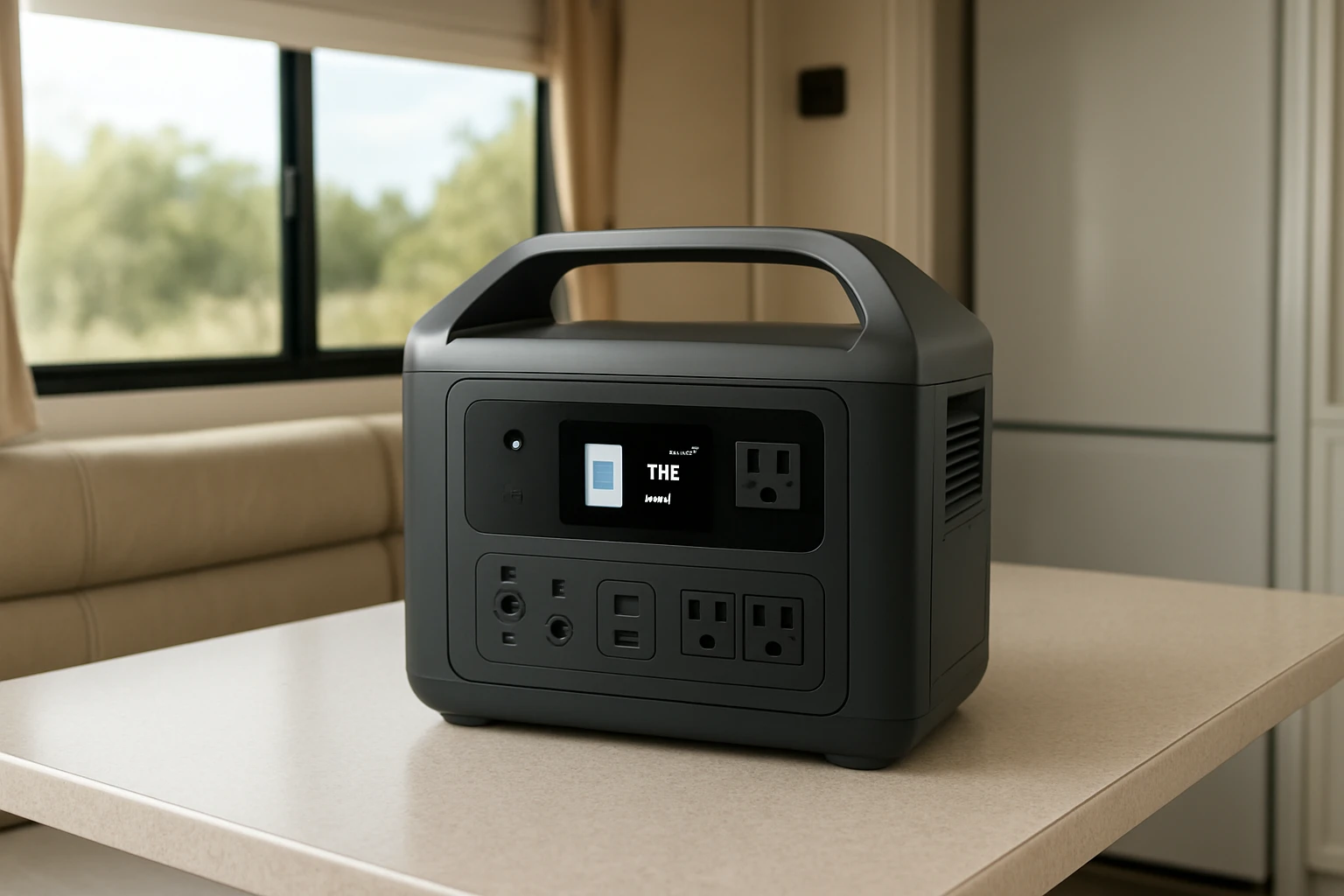

How to Keep Your Portable Power Station Cool in an RV This Summer: Heat‑Management Tips to Prevent Overheating and Extend Battery Life
Introduction
Summer temperatures inside an RV can easily exceed 100°F, creating a hostile environment for lithium‑based power stations. Overheating not only reduces immediate performance but also accelerates battery degradation, shortening the useful life of expensive equipment. This guide explains how to manage heat effectively, protect your investment, and maintain reliable power for camping, emergencies, and off‑grid living. Readers will learn practical placement strategies, ventilation techniques, and auxiliary cooling tools that work within the limited space of an RV.
By following the step‑by‑step instructions, one can prevent thermal throttling, avoid safety shutdowns, and ensure that the power station remains ready when needed. The advice applies to any portable generator, but specific product recommendations are included to illustrate the most efficient solutions.
What You'll Need
- Jackery Explorer 1000 – 1070 Wh LiFePO4 battery, 1500 W AC output, $479, 4.7★ (3,265 reviews)
- Anker SOLIX C300 – 288 Wh LiFePO4 battery, 300 W AC output, $249.99, 4.6★ (1,691 reviews)
- llano V12 Cooling Pad – RGB laptop cooler with 5.5‑inch turbo fan, $119.99, 4.5★ (2,695 reviews)
- Small desktop fan (12‑inch, 30 CFM) or battery‑operated clip‑on fan
- Thermal insulation mat or reflective sunshade
- Silicone cable ties and Velcro straps
- Portable temperature monitor (optional)
Step 1: Choose the Optimal Placement for Your Power Station
The first step is to locate the power station where airflow is naturally better and direct sunlight is minimized. In an RV, the ideal spot is often a vented cabinet or a dedicated storage compartment that faces a window or roof vent. Avoid placing the unit on soft surfaces such as cushions, which can trap heat.
When using the Jackery Explorer 1000, position the unit on a hard, flat surface with at least 3‑inches of clearance on all sides. The Explorer 1000’s built‑in fan draws air from the bottom and exhausts upward; providing clearance allows the fan to operate efficiently, reducing internal temperature by up to 15 °F under load.
For smaller setups, the Anker SOLIX C300 can be mounted on a wall‑mounted rack using Velcro straps. Its compact design (15 % smaller than comparable units) means it fits behind a cabinet door, where the RV's existing ventilation can assist.
Step 2: Enhance Passive Cooling with Insulation and Sunshades
Passive cooling reduces the amount of heat that reaches the power station before active measures are needed. Place a reflective sunshade on any window that receives direct sunlight during the hottest part of the day. This can cut solar gain by up to 70 %.
Lay a thin thermal insulation mat beneath the power station. The mat acts as a barrier between the unit and the warm floor of the RV, preventing heat conduction. Both the Jackery and Anker units have metal housings that can act as heat sinks; insulating the base ensures that heat is directed upward toward the fan rather than back into the battery cells.
Step 3: Install Active Airflow Using a Clip‑On Fan
Active airflow is essential when ambient temperatures exceed 85°F. Attach a small 12‑inch clip‑on fan to the side of the power station where the intake vents are located. The fan should blow cool air into the intake and pull hot air out of the exhaust.
The llano V12 Cooling Pad includes a 5.5‑inch turbo fan capable of moving 70 CFM. Although designed for laptops, the fan can be repurposed by removing the rubberized base and mounting the unit on the power station with silicone ties. The V12’s adjustable speed wheel allows fine‑tuning of airflow to match the load on the power station.
When the power station is operating at near‑full load (e.g., powering an air conditioner), set the V12 to its highest speed. This can lower the internal temperature by an additional 10‑12 °F, extending the battery's discharge cycle and preventing automatic shutdowns.
Step 4: Monitor Temperature and Adjust Settings
Modern power stations provide temperature readouts via their companion apps. Use the Jackery App for the Explorer 1000 or the Anker app for the SOLIX C300 to keep an eye on internal temperature. If the temperature approaches 120°F, reduce the load or increase fan speed.
Consider adding a portable temperature monitor with a magnetic back that can be attached to the unit. Set an alarm for 115°F; this proactive approach gives you time to shift loads or increase ventilation before the device initiates a safety shutdown.
Step 5: Optimize Charging Practices to Minimize Heat Generation
Charging generates heat, especially when using fast‑charge modes. The Explorer 1000 offers a one‑hour emergency charge, but this mode raises internal temperature significantly. Use the standard 1.7‑hour charge for routine replenishment, as it balances speed with thermal management.
The Anker SOLIX C300 can be charged to 80 % in 50 minutes via its 140 W USB‑C port. To keep heat low, charge the unit while it is placed in a shaded, ventilated area and avoid charging and discharging simultaneously. If possible, schedule charging during the cooler evening hours.
Step 6: Secure Cables and Maintain Cleanliness
Cluttered cables obstruct airflow and can trap heat. Route all power and USB cables using silicone ties, keeping them away from vent openings. Regularly dust the intake grills with a soft brush; dust buildup reduces fan efficiency and can cause the unit to overheat.
The llano V12 includes a removable dust filter that can be cleaned with compressed air. Maintaining a clean filter ensures that the fan continues to move air effectively, which is especially important in dusty campground environments.
Tips & Pro Tips
- When parked in direct sun, open roof vents and side windows to create cross‑ventilation.
- Use the low‑noise overnight charging mode on the Jackery Explorer 1000 to keep temperature rise minimal during sleep hours.
- If you have multiple power stations, stagger their operation so that only one is under heavy load at a time.
- Consider a solar panel with a built‑in MPPT controller; solar input generates less heat than wall charging.
- Store the power station in a climate‑controlled compartment when the RV is not in use.
Troubleshooting
Problem: Power station shuts down after 30 minutes of use.
Solution: Check internal temperature via the app. If it exceeds 120°F, increase ventilation, add an extra clip‑on fan, or reduce load. Verify that intake vents are not blocked by cables or debris.
Problem: Battery capacity appears reduced after a hot summer.
Solution: Perform a full discharge‑charge cycle in a cool environment. Persistent loss may indicate thermal stress; consider using a larger capacity unit such as the Jackery Explorer 1000 for heavy loads to keep operating temperature lower.
Conclusion
Effective heat management is essential for preserving the performance and longevity of portable power stations in an RV during summer months. By selecting an optimal location, adding passive insulation, employing active airflow with tools like the llano V12 Cooling Pad, monitoring temperature, and following disciplined charging practices, one can prevent overheating and extend battery life for years to come. Implement these steps, and the RV will remain powered safely, no matter how high the outside temperature climbs.
Products Mentioned in This Guide
Frequently Asked Questions
How can I prevent my portable power station from overheating in an RV?
Place the unit in a well‑ventilated area, keep it out of direct sunlight, and use fans or vent panels to circulate air.
Does using a cooling fan extend the battery life of a portable power station?
Yes, maintaining lower operating temperatures reduces stress on lithium cells, slowing degradation and preserving capacity.
What is the safest distance to keep a power station from heat‑generating appliances?
Keep at least 12‑18 inches of clearance from heaters, stoves, or direct sunlight to allow proper airflow.
Can I run my power station in a sealed RV cabinet?
No, sealed enclosures trap heat; use a vented compartment or add a small exhaust vent to avoid thermal throttling.
Are there specific accessories that help keep a power station cool?
Portable battery‑cooling fans, heat‑resistant mats, and reflective sunshades are effective low‑cost accessories.